"Dispensing" Mode
1. How to Use the Dispensing Mode
The equal volume dispensing mode allows multiple settings of the same volume, where liquid is aspirated and then dispensed in portions.
1.1 Enter Dispensing Mode
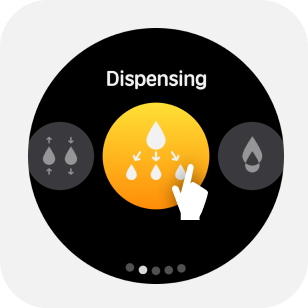
Select Dispensing from the mode menu to enter dispensing mode.
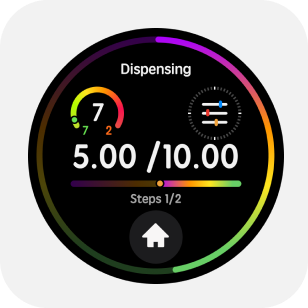
1.2 Parameter Adjustment
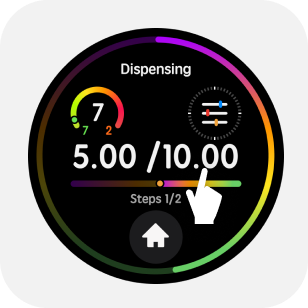
Tap the upper half of the main screen to enter the parameter menu.By swiping or tapping the screen, you can adjust in the parameter menu: total volume or aliquot volume, number of dispenses, aspirate and dispense speeds, mixing volume, mixing speed, blow-out option, and pre-dispense & tail volume on/off.
1.3 Start Dispensing
Gently press the trigger button to begin the aspiration/dispensing operation.
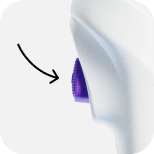
You can disable the pre-dispense and tail liquid in the parameter settings. This may affect accuracy, so choose according to your actual needs
1.4 Quickly Empty Liquid
After performing the aspiration operation, hold the retract button to quickly dispense the liquid.
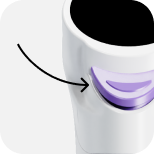
This operation method allows for greater freedom during dispensing work~
1.5 Blow Out Liquid
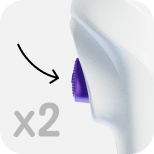
After completing the aspiration-dispensing cycle, double-click the trigger button to blow out the liquid.
1.6 Mixing
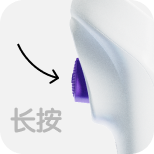
When there is no liquid in the tip, long press the trigger button to mix.
1.7 Eject the Tip
When the liquid is emptied, gently press the retract button to automatically eject the tip.